Invoices
A bill from one legal entity to one of its customers, posted to the general ledger when issued.
Each invoice line has a description, a quantity, a unit price, and the revenue account it posts to. The invoice bills one of an entity's customer accounts.
How it works
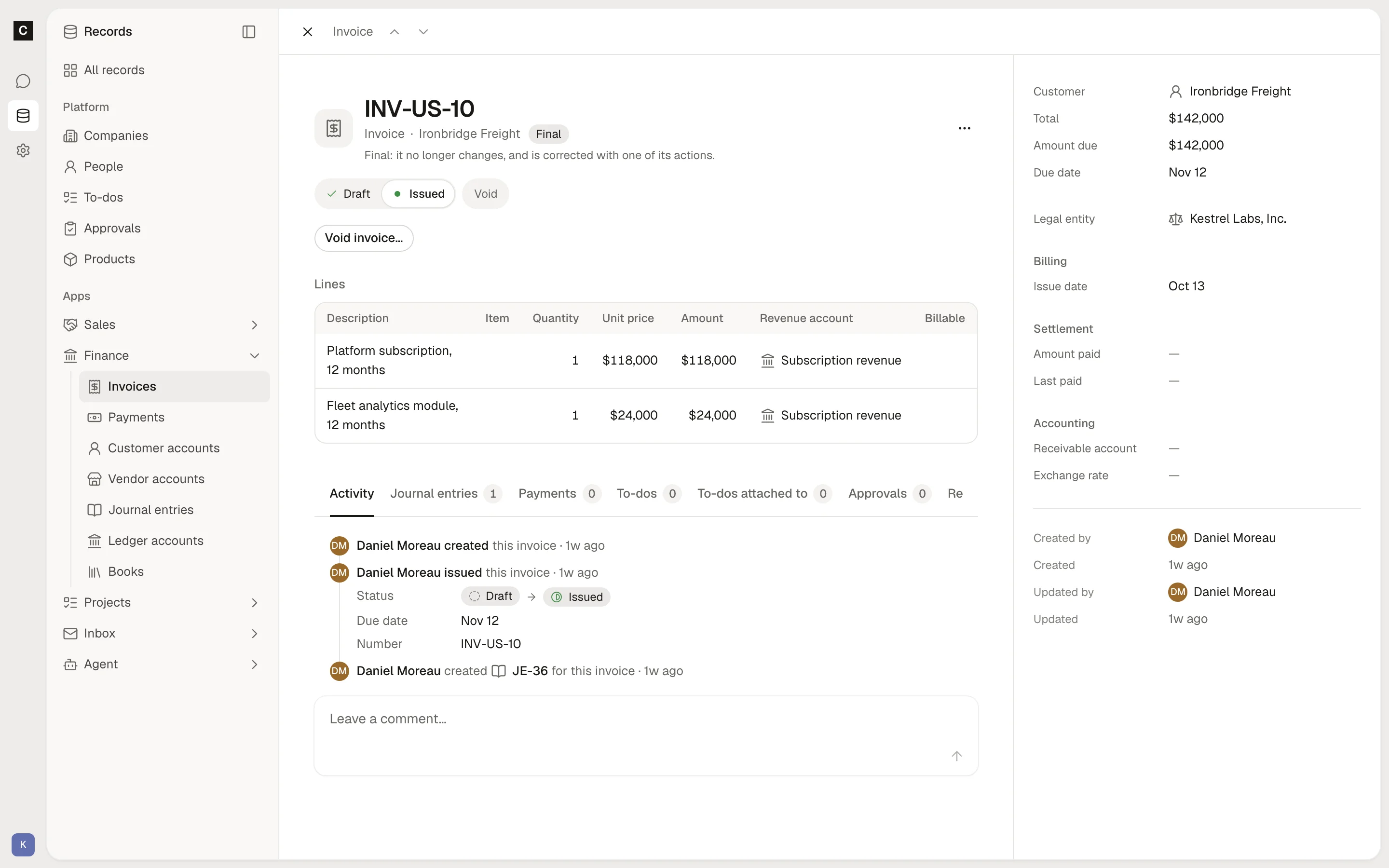
An invoice is a Document: a draft has no number, and issuing it makes it final. You draft an invoice on its own, or from a confirmed Sales order. To draft from an order, click Create invoice from sources on the Invoices list and choose the order. Finance copies its lines. A line drafted from an order starts without a revenue account, and every line needs one before the invoice issues.
Issue invoice does four things at once:
- Numbers the invoice per entity, such as INV-US-1.
- Sets the due date from the customer's payment terms, if the invoice has none.
- Posts to the general ledger: the receivable against each line's revenue, in the entity's primary book unless the invoice names another.
- Makes the invoice final.
If the invoice is in another currency than the book, Finance converts at the invoice's exchange rate, or the latest rate on or before the issue date. An invoice over 10,000 waits for an administrator's approval before it issues. This is a default policy your organization can change.
Each invoice shows its Amount paid, Amount due, and Last paid, from the payments received against it. The Unpaid view lists issued invoices with an amount still due.
Void invoice reverses what the invoice posted, dated the day you name or today. You can void an invoice only when no payment applies to it. The invoice stays final, now void.
Document: final once committed; a new document corrects it.
Status
- Draft
- Issued
- Void
Fields
- NumberSet by Continual
- Number per legal entity, starting INV-
- Open itemSet by Continual
The ledger entry it keeps open on a reconcilable account, such as a receivable, which matches settle.
- Text
- Amount dueSet by Continual
What it still owes on its open item, such as an invoice's receivable, as payments and credits settle it; none before it posts.
- Money
- Entity
- Link to a legal entity
- TotalSet by Continual
The sum of its lines' amounts.
- Money
- Customer
One of the entity's customers.
- Link to a customer account
- Issue date
- Date
- Due date
Issuing it without one sets it from the customer's payment terms.
- Date
- Receivable account
Where what the customer owes posts, such as 1200 Accounts receivable; the customer's unless named.
- Link to a ledger account
- Book
The general ledger book it posts in; issuing it without one names the entity's primary book. Another currency than the book's converts at the latest exchange rate on or before the issue date.
- Link to a book
- Memo
- Text
- Amount paidSet by Continual
What received payments apply to it.
- Money
- Last paidSet by Continual
When the latest payment applied to it was received.
- Date
- LinesEach has Description (text), item (link to a product), Quantity (quantity), Unit price (money), Amount (money), Revenue account (link to a ledger account), source (group of values).
- List
Actions
- Create invoice from sources. Drafts an invoice from one or more committed records it comes from: each of their lines, or the lines you name with any values you give them, each naming the line it came from, and what it shares by name with every source where they agree, with the values you give its own fields.
- Issue invoice. Issues a draft invoice: numbers it, sets its due date from the customer's terms when it names none, posts its receivable and revenue to the general ledger in its book, and makes it final. Every line names a revenue account.
- Void invoice. Voids an issued invoice no payment settles: reverses what it posted, dated today; the invoice stays final, now void. Void its payments first.